Private Facebook Video Downloader
Download Facebook videos from private accounts and closed groups completely for free
How to download private Facebook videos using ClipSave
ClipSave supports downloading Facebook videos from private accounts, closed groups, and secret fan pages that you have access to directly on your computer's browser. The tool operates quickly, requires no software installation, and helps you save videos in high quality in just a few simple steps.
Note: For a more stable processing experience, you should perform it on a desktop browser such as Chrome, Edge, or Firefox.
Step 1: Access Facebook.com on your computer and log in to the account that has permission to view the video. Then, click on the posting time of the post containing the video you want to download.

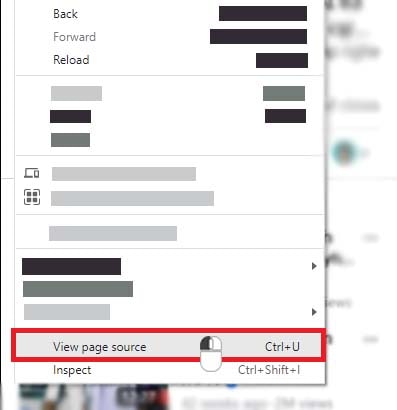
Step 2: Press the key combination Ctrl + U on Windows or ⌘ + Option + U on Mac to open the page source of the post.
OR
Right-click anywhere on the page and select View page source from the menu that appears.
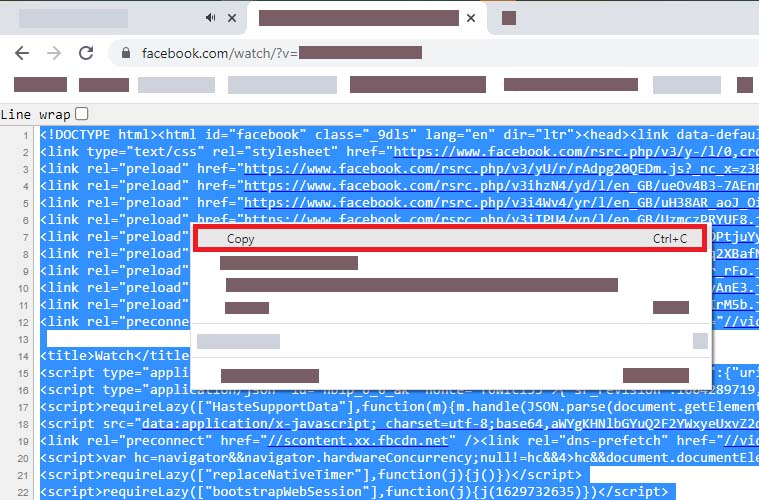
Step 3: In the page source screen that just opened, press Ctrl + A (Windows) or ⌘ + A (Mac) to select all content, then right-click and select Copy.
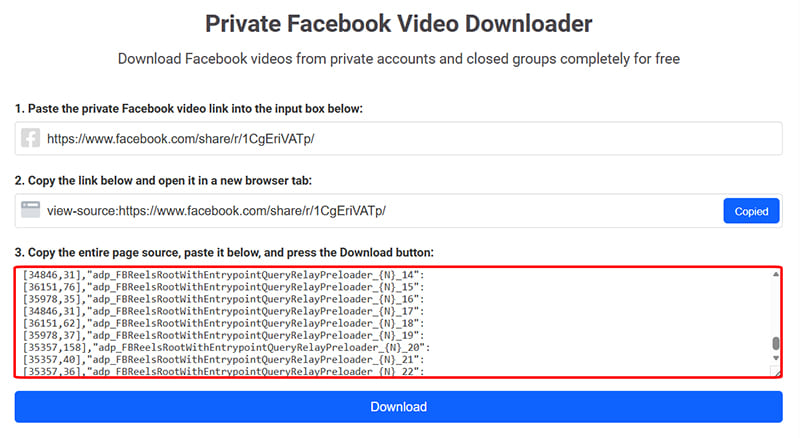
Step 4: Return to the private video downloader page of ClipSave.app, paste the copied code into input box number 3 (#3), and press the Download button.
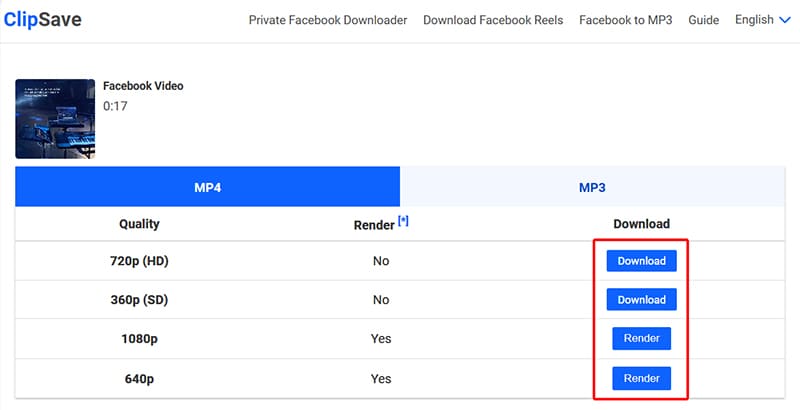
Step 5: The tool will process and display the download options. Select your desired quality or format, then press the corresponding Download button to save the video to your computer.
ClipSave's private Facebook video downloader feature helps you save videos you have access to but cannot download normally, supporting high-quality direct downloads in your browser in just a few simple steps.
ClipSave - Free private Facebook video downloader
ClipSave is a tool that helps you save private Facebook videos that you have access to but cannot download using conventional methods, including videos from private accounts, closed groups, and secret fan pages.
The tool allows you to download high-quality videos such as HD, Full HD, 2K, or 4K (if available), and supports converting videos to MP3 directly in the browser without installing any additional software or applications.